Bank products
Bank products are an entity in the Griffin platform that hold all of the behaviour for bank accounts associated with them. When you open a bank account, it is related to a bank product, and that product determines what properties that bank account has (e.g. notice period, interest rate).
Bank products are a new concept that we are now making more visible to customers. All accounts that were created before the existence of bank products have been migrated, and no existing API integrations will need to change in the short term.
We created bank products as a way to give customers more flexibility over product behaviour. For example, if you want different savings accounts at 2%, 2.5%, and 3% interest for your customers, we can create different bank products for those different customer segments.
Bank product lifecycle
Today, bank products can only be created by Griffin. In order to add a new bank product, it will need to be included in your commercial agreement with Griffin. To add a new product, speak to your commercial lead or customer success manager. Once a new product has been agreed commercially, we will add it to your list of available products. Initially, this will appear as an inactive product while we check that all the details are correct, and then quickly move to active.
- inactive products prevent new accounts being opened that are related to them, either because they haven't been approved yet or that product is no longer available. Existing open bank accounts are unaffected
- active products can have new bank accounts opened
Where can I use bank products?
We're still rolling out bank products across the Griffin platform, so expect them to become more visible and used over time. For now, there are a few key places you can find them.
In the app
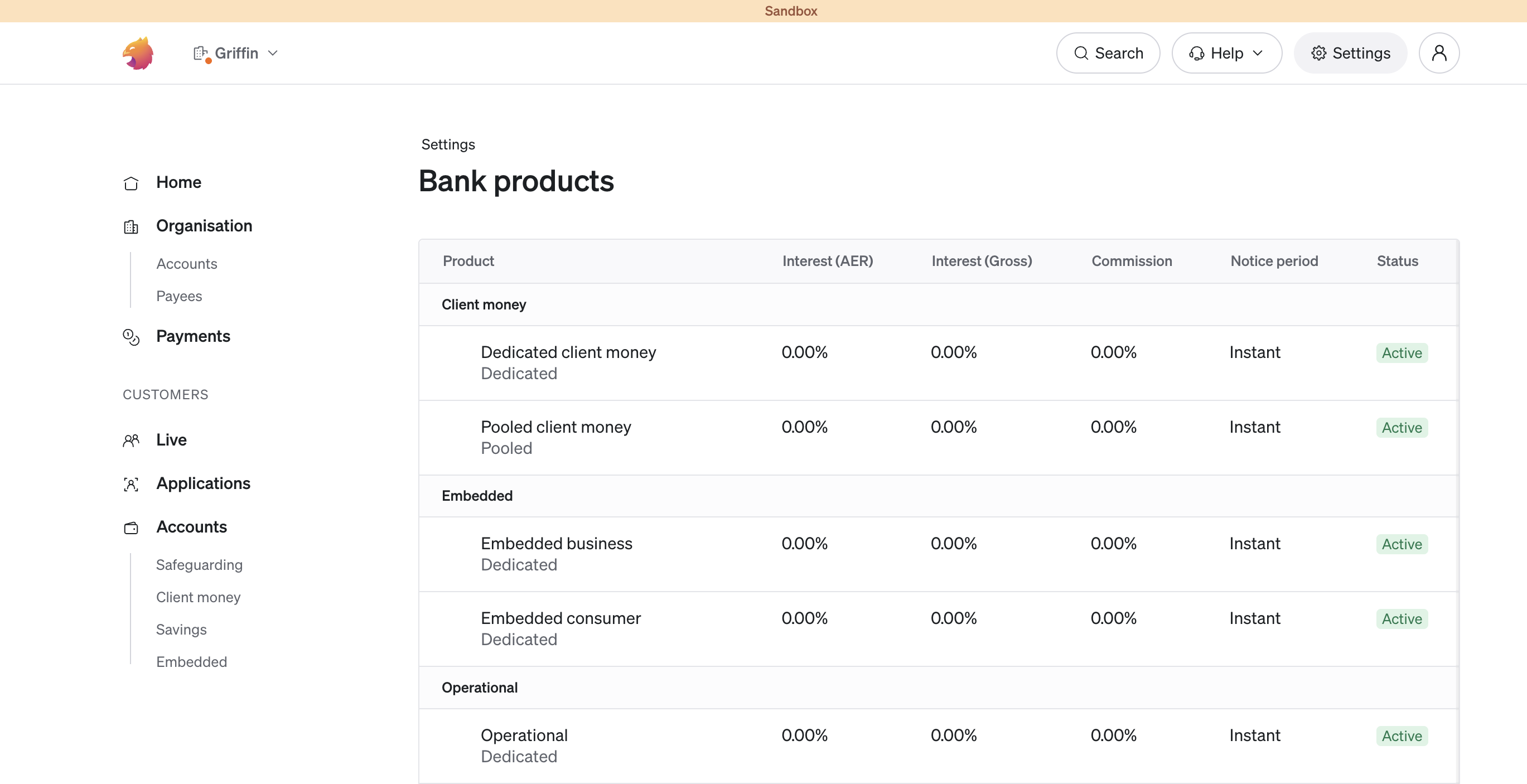
In our app we provide a list of all your available products in the settings page
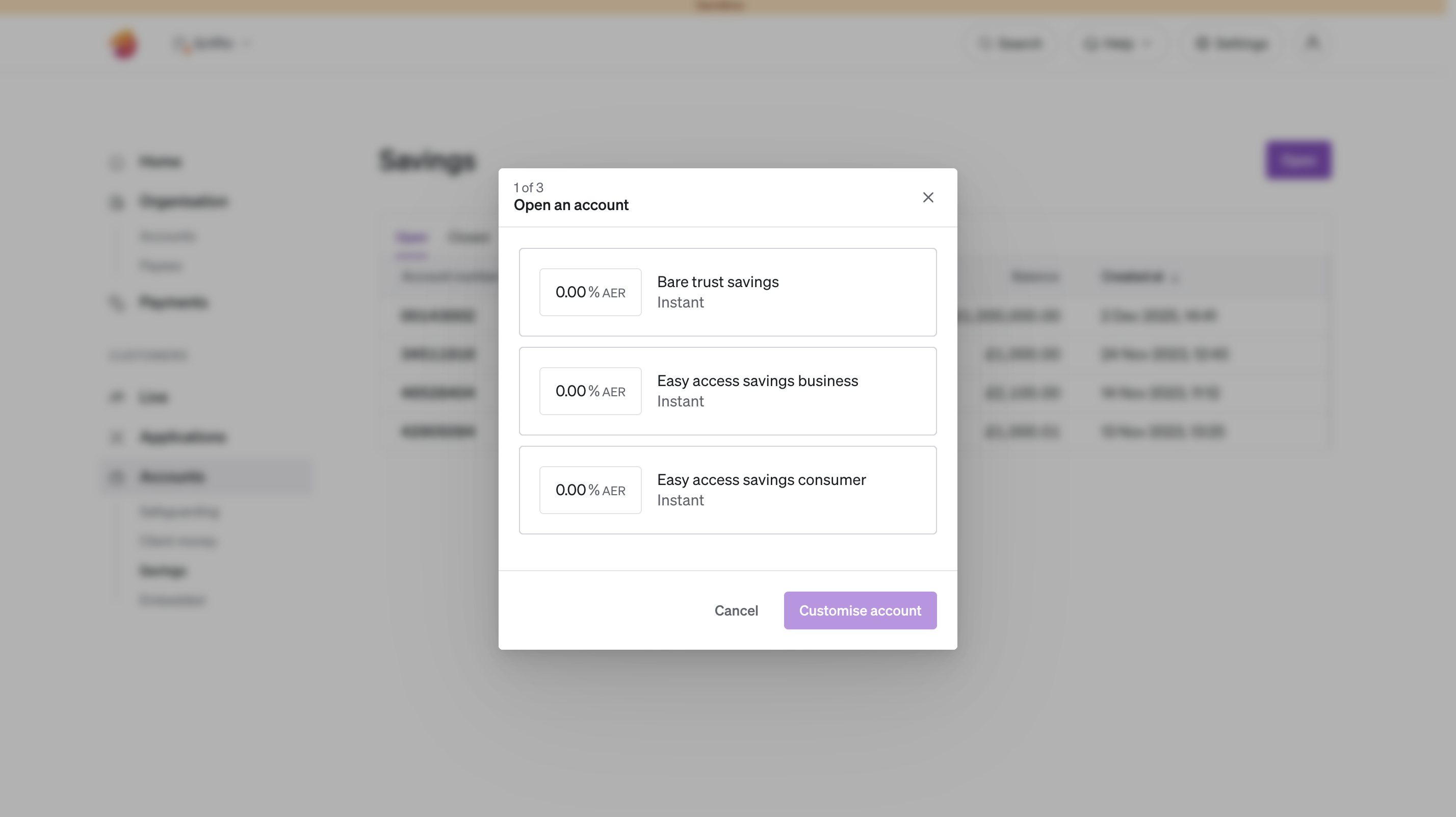
When opening a bank account in the app, you'll now be prompted to choose a bank product. Any new bank products added will be added to this list. Once you've chosen a bank product you'll need to specify the owner and beneficiary of the account as normal.
In the API
Everything in our app is enabled via our API, so anything you've seen in our app is also possible via direct API integration. The key endpoints to be aware of are listing your bank products and opening a bank account using a bank product.
For more on opening bank accounts see opening a bank account